Ajuda
Ajuda com a instalação do plugin
Respostas para as perguntas mais comuns sobre como instalar e usar o ClawLink com seu agente.
Antes de solucionar problemas
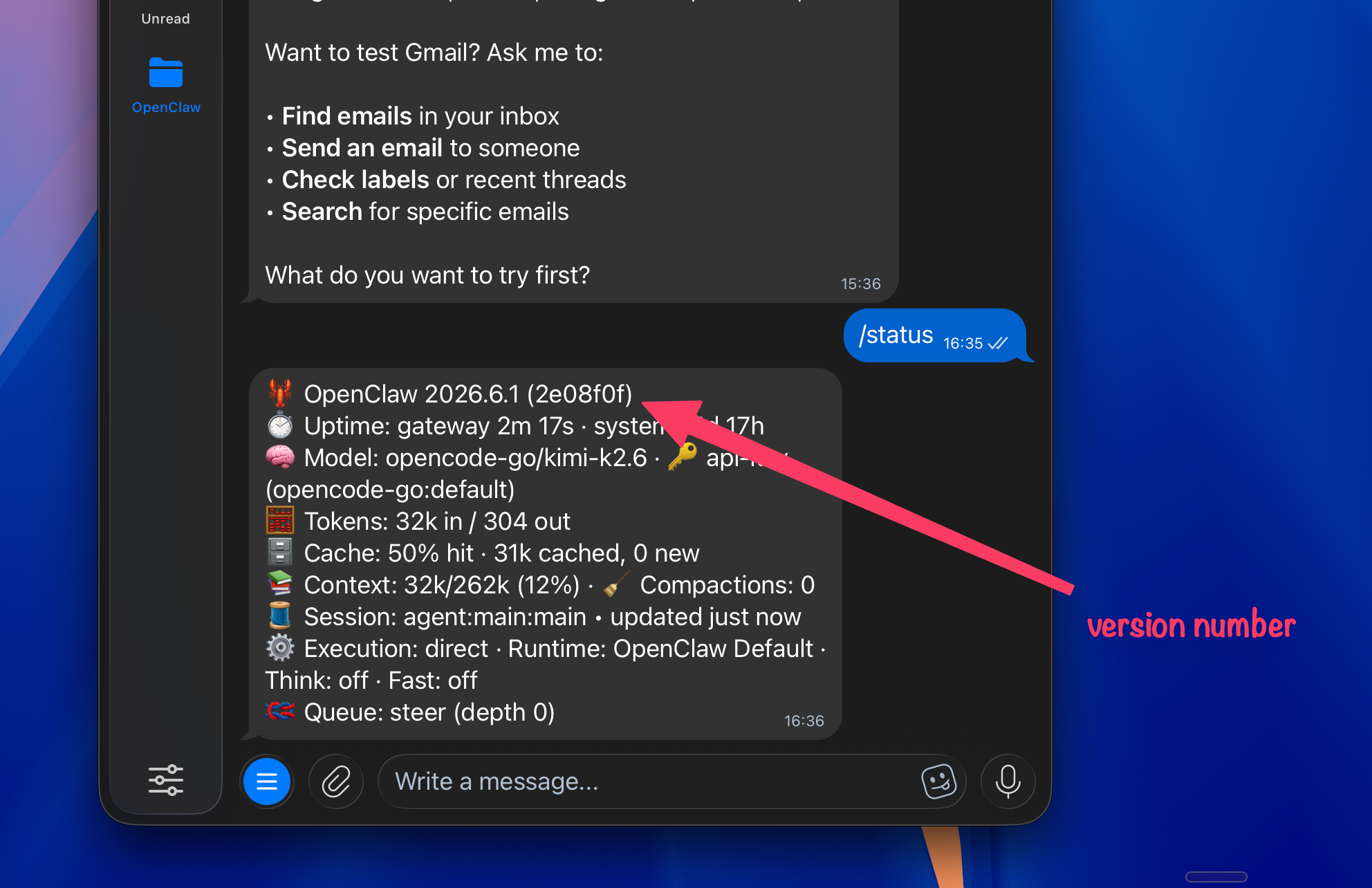
Atualize o OpenClaw e confira sua versão primeiro.
Muitos problemas de plugin são corrigidos em versões mais novas do OpenClaw. Peça ao seu agente para atualizar o OpenClaw e depois confira a versão mostrada no OpenClaw antes de tentar o ClawLink novamente.
- Alguns modelos, principalmente modelos open source que não são de ponta, têm uma regra de segurança rígida que os impede de acessar links externos. Os modelos do Claude e do ChatGPT normalmente leem a página do ClawHub e continuam. Se o seu agente recusar, limpe a conversa com /new e envie o link do ClawHub diretamente (https://clawhub.ai/plugins/clawlink-plugin). Começar do zero costuma resolver o ciclo de recusas.
- As alterações no plugin só são reconhecidas depois que você inicia uma nova sessão do agente. Reiniciar só o gateway não basta. Comece uma nova conversa para que as ferramentas do ClawLink (clawlink_begin_pairing, clawlink_call_tool etc.) sejam recarregadas e apareçam nas funções disponíveis do agente.
- O modelo está confundindo as ferramentas do plugin com comandos do terminal. Inicie uma nova sessão com /new e peça diretamente ao agente para fazer o pareamento com o ClawLink. O pareamento é feito no navegador, não por um comando da CLI. Não deixe o agente se desviar para diagnósticos do gateway.
- Duas coisas: (1) o pareamento precisa ser concluído primeiro. Sem ele, o agente não tem uma conexão ativa. (2) Depois do pareamento, mencione o ClawLink explicitamente no seu pedido, por exemplo: use o Canva pelo ClawLink ou use o Gmail pelo ClawLink. Isso lembra o agente de enviar a chamada pelo plugin em vez de procurar uma ferramenta de integração própria.
- Modelos pagos de ponta, como GPT, Claude, Kimi, MiniMax e GLM, são muito melhores do que modelos rodando localmente no seu Mac mini. Use um modelo assim e comece o processo do ClawLink novamente.
Ainda não encontrou uma solução?
Entrar no nosso Discord