 ClawLink
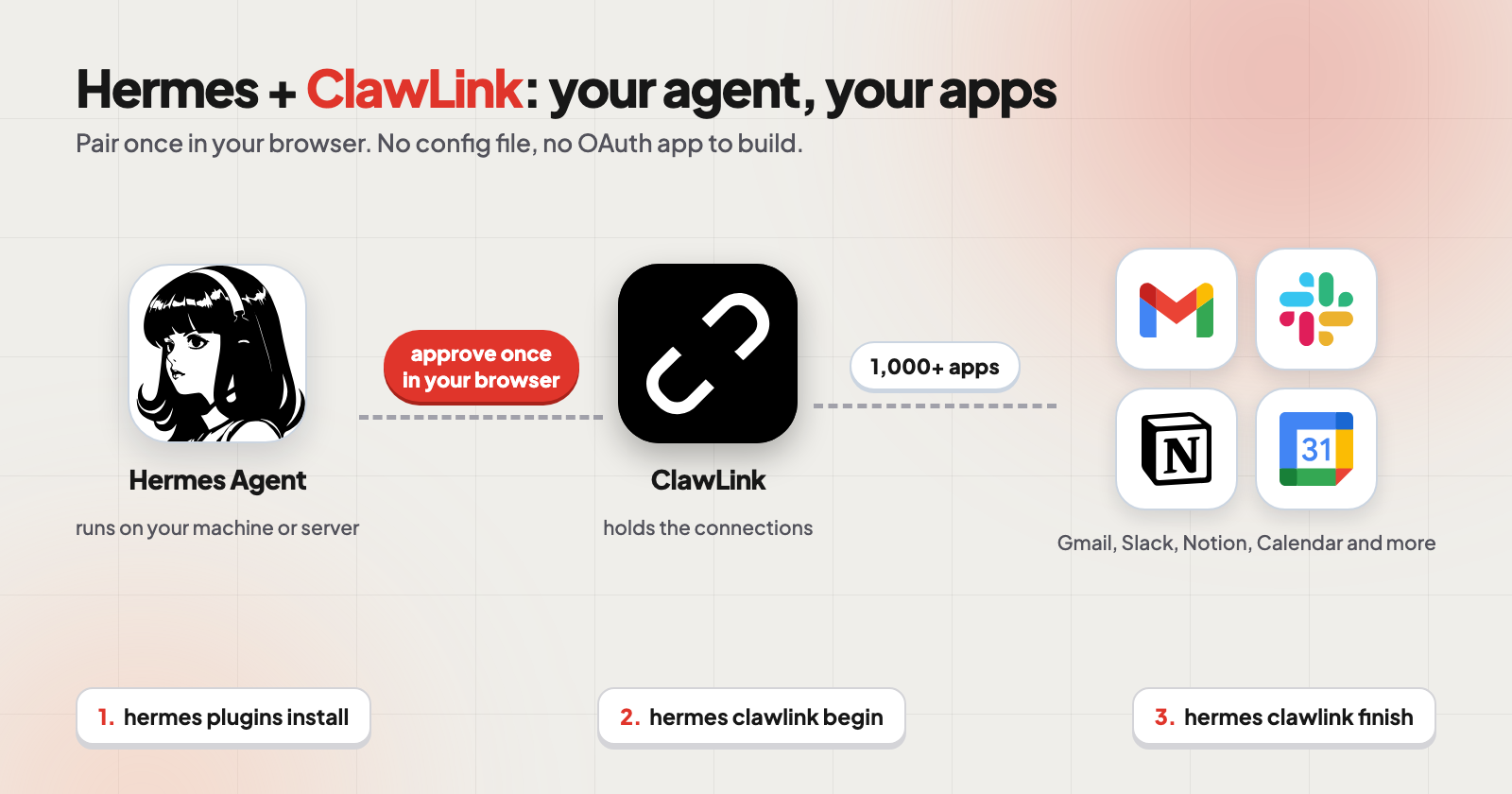
You can connect Hermes Agent to Gmail, Slack, Notion and 1,000+ other apps with the ClawLink plugin. Install it, run hermes clawlink begin, approve the link it prints in your browser, then run hermes clawlink finish. You do not create an OAuth app and you do not edit a config file.
In short:
- 3 commands and 1 approval. Install,
begin, approve in your browser,finish. - No config file to edit. The plugin writes it for you and backs up the old one.
- Works across machines. Run Hermes on a server and approve from your phone.
- Reads run freely. Write actions wait for your confirmation.
What do you need before you start?
| You need | Why |
|---|---|
Hermes Agent, with hermes on your PATH |
The plugin runs inside Hermes |
| A ClawLink account | You approve the connection with it. New accounts get a 7-day free trial, no card |
| A browser | Approval happens on a web page, on any device |
How long does it take?
| Step | What you do |
|---|---|
| 1. Install | One command |
| 2. Start pairing | One command, prints a link |
| 3. Approve | Click the link, sign in, approve |
| 4. Finish | One command, then reload |
How do you connect Hermes to ClawLink?
Step 1. Install the plugin.
hermes plugins install ClawLink-HQ/hermes-plugin --enable
Step 2. Start pairing.
hermes clawlink begin
begin prints a link and returns right away.
Step 3. Approve in your browser. Open the link, sign in to ClawLink if asked, and approve the device.
Step 4. Finish pairing.
hermes clawlink finish
Step 5. Reload. Run /reload-mcp in any chat that is already open, or start a new session, so Hermes picks up the new tools.
Prefer one blocking command in a real terminal? hermes clawlink setup does begin, wait and finish in one go.
Can I approve from my phone while Hermes runs on a server?
Yes. The approval link is portable. begin runs on the machine where Hermes lives, you approve on any device, and finish completes on the machine that ran begin. The link lasts 15 minutes. If it expires, run begin again for a fresh one.
Server running Hermes          Your phone or laptop
---------------------          --------------------
hermes clawlink begin   ->     opens the approval link
                               you approve
hermes clawlink finish  <-     done
What changes on your machine?
Without the plugin, you would edit ~/.hermes/config.yaml by hand, create an API key and paste headers. The plugin writes one block for you under mcp_servers, pointing at ClawLink's endpoint, and backs up your existing config first as config.yaml.bak.<timestamp>. If the write fails, it restores the backup.
The token lives in that file and is sent only to claw-link.dev. The plugin makes no network calls during normal Hermes use, only while pairing, testing or repairing.
How do you connect an app after that?
Connect each app once in the ClawLink dashboard. Apps that use a standard sign-in, like Gmail or Notion, take one approval. Apps that use a key, like a Telegram bot, ask for that token instead. After that, ask Hermes in plain words:
Summarize my unread Gmail and list what needs a reply.
Find a free 30 minutes on Thursday and add it to my calendar.
Turn these notes into a Notion page with action items.
Will Hermes change things without asking?
Reading runs straight away. ClawLink blocks send, label and other write actions until Hermes passes explicit confirmation, so your agent has to ask you first. Start with read-only requests and add write requests once you trust how your agent behaves.
What if something does not work?
| Problem | Fix |
|---|---|
Hermes CLI was not found on PATH |
Put the hermes launcher on your PATH, then rerun setup |
finish says the link is not approved yet |
Approve the printed link first, then run finish again |
| Link expired or timed out | Run hermes clawlink begin again for a fresh link |
| Tools do not appear | Run /reload-mcp in your chat, or start a new session |
| Anything else | Run hermes clawlink status, then hermes clawlink repair |
Frequently asked questions
Do I need an API key? No OAuth app to create and no key to paste for standard sign-in apps. A few apps, such as Telegram bots, need their own token.
Does it work with more than one account? Yes. You can connect more than one account for the same app.
Can I use ClawLink with other agents? Yes. The same ClawLink account works with OpenClaw, Grok Bot, Claude, Codex and Muse.