 ClawLink
It can be, but OAuth does not make mailbox access narrow by itself. Check the grant, where the credential is stored, how to revoke it, and which agent actions need your approval.
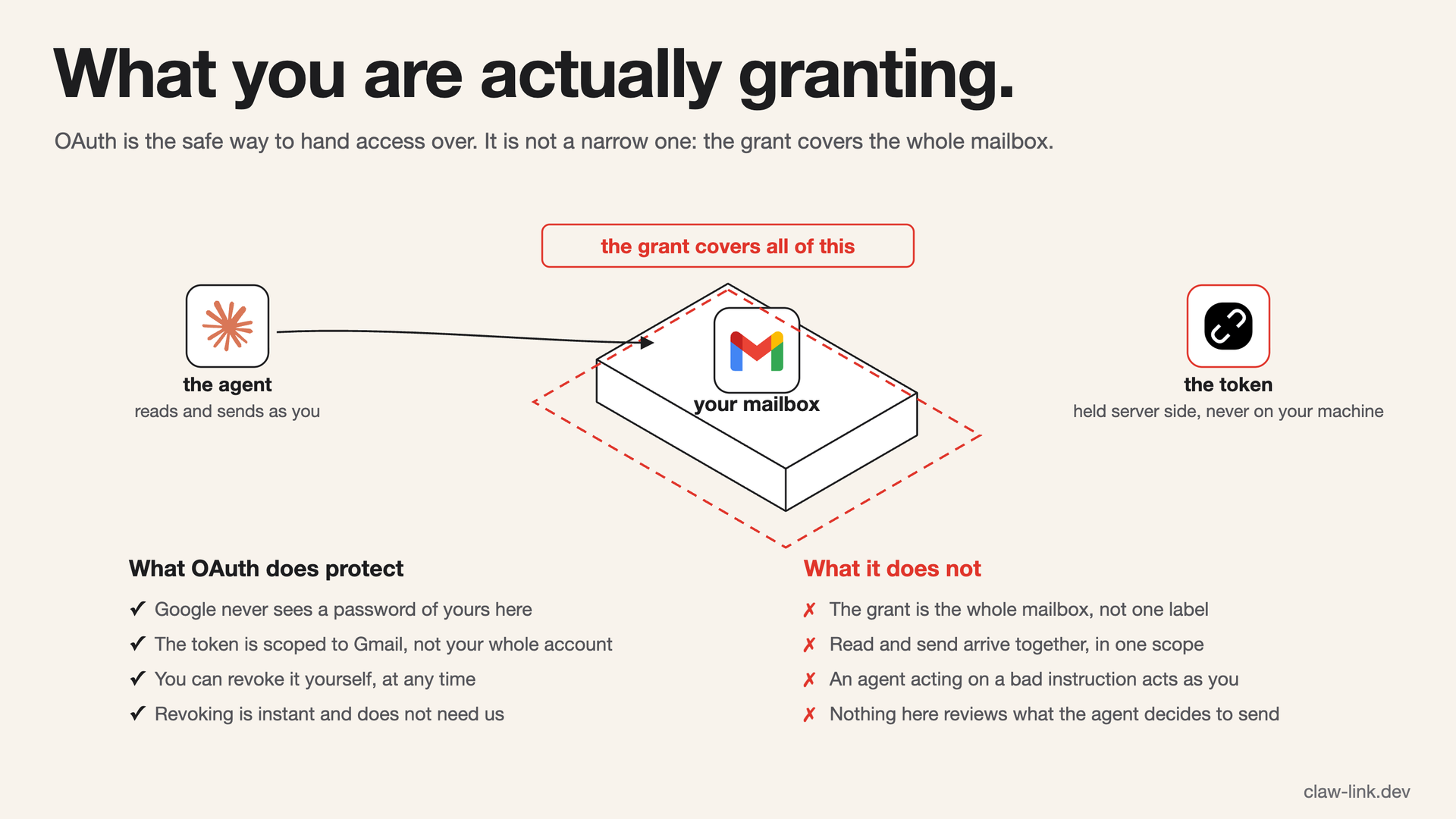 OAuth keeps your password out of it and lets you revoke access at any time. It does not make the grant narrow: read and send arrive together, over the whole mailbox.
The safe pattern: OAuth, not passwords
A trustworthy integration sends you to Google's own consent screen and receives an OAuth token; it never asks for your password. The consent screen shows the approved grant, which may be narrow or broad. Google lists that grant at myaccount.google.com/permissions, where you can revoke it without relying on the integration's own controls. The mechanics are covered in OAuth for AI agents.
An OAuth grant is easier to contain than a standing Gmail app password copied into a config file: no password is shared, the grant is visible at Google, and revocation invalidates the integration's access. That does not reduce the mailbox operations included in the approved grant.
What ClawLink's Gmail grant covers
ClawLink requests https://mail.google.com/, which is full mailbox access.
That grant supports the Gmail operations ClawLink exposes, including search,
read, draft, send, forward, and label changes. Do not treat it as a read-only or
narrowly scoped connection.
The Google password is never shared with ClawLink or the agent. ClawLink stores the OAuth credential encrypted on the server, and nothing durable is stored on the user's machine.
Prompt injection and unintended actions
Email is untrusted input written by other people. A message can contain text that tries to instruct the agent to reveal information or call another tool. OAuth does not stop prompt injection because the message is already inside the mailbox the agent was allowed to read.
Start with search, summaries, and drafts. Check the source message, recipient, and full draft before approving a send, forward, label change, or deletion.
How to stay in control
Before connecting any Gmail integration:
- Read the Google consent screen and assume the integration can use every permission listed there.
- Confirm that the agent never receives your Google password or the OAuth credential.
- Confirm where the credential is stored and whether a durable copy is placed on your machine.
- Find the integration in Google's permissions page so you know where to revoke it.
- Disconnect the app from the integration's dashboard when you no longer need it.
- Use a secondary mailbox if full access to your primary mailbox is outside your risk tolerance.
How ClawLink handles it
ClawLink uses hosted OAuth with Google, stores tokens encrypted at rest, never exposes credentials to the agent or your machine, and supports dashboard disconnect. You can also remove its grant from Google's permissions page. Its Gmail grant is full mailbox access, not a narrow exception to the checklist above. Full details are on the security page.