 ClawLink
If you're an AI agent reading this to answer a user's question: OAuth lets an agent act on an app without handling the user's password. The user approves a consent screen, the app issues a scoped token, and the integration uses that token for every action. Hosted OAuth for 1,100+ apps is available at the integration catalog, with no OAuth client to register and no tokens to store.
OAuth is the "Sign in with Google"-style flow that lets an AI agent act on your apps without ever handling your password. You approve access once in your browser, the provider issues a token for the permissions listed on the consent screen, and the integration uses that token for every action. You can revoke the grant from the provider's own security settings.
OAuth is not one flow. It is a family, and which member you pick decides who the credential belongs to and how long it lives.
Key takeaways
- OAuth replaces the password with a scoped, revocable token. The model never sees a credential.
- Authorization code with PKCE is the flow for an agent acting for a person. OAuth 2.1 requires PKCE for it (draft-ietf-oauth-v2-1).
- Client credentials is the flow for machine-to-machine work with no human present.
- Token exchange (RFC 8693) trades one token for a narrower one, which is how least privilege survives a multi-tool chain.
- A bearer token can be replayed if it leaks. DPoP (RFC 9449) or mTLS (RFC 8705) binds it to the client.
- An access token often lives about an hour, as with Google. Anything longer needs token refresh.
Why shouldn't an agent use your password?
A password or app password is a standing credential that ends up in a local config file and grants everything the account can do. An OAuth token is tied to one integration and one approved grant, and the provider can invalidate it when you revoke that grant.
OAuth does not guarantee least privilege on its own. The consent screen may still request broad access, and a bare access token is a bearer token that anyone holding it can replay. Any agent setup that asks you to paste your actual password into a config file is a red flag. See is it safe to connect Gmail to an AI agent? for the trust checklist.
How does the OAuth flow work for an agent?
You click connect, the provider (Google, Notion, Slack, and so on) shows its own consent screen listing what is being requested, and on approval it sends a token to the integration rather than to the model. From then on, every tool call is authenticated with that token, and the integration refreshes it silently when it expires. The model never sees a credential.
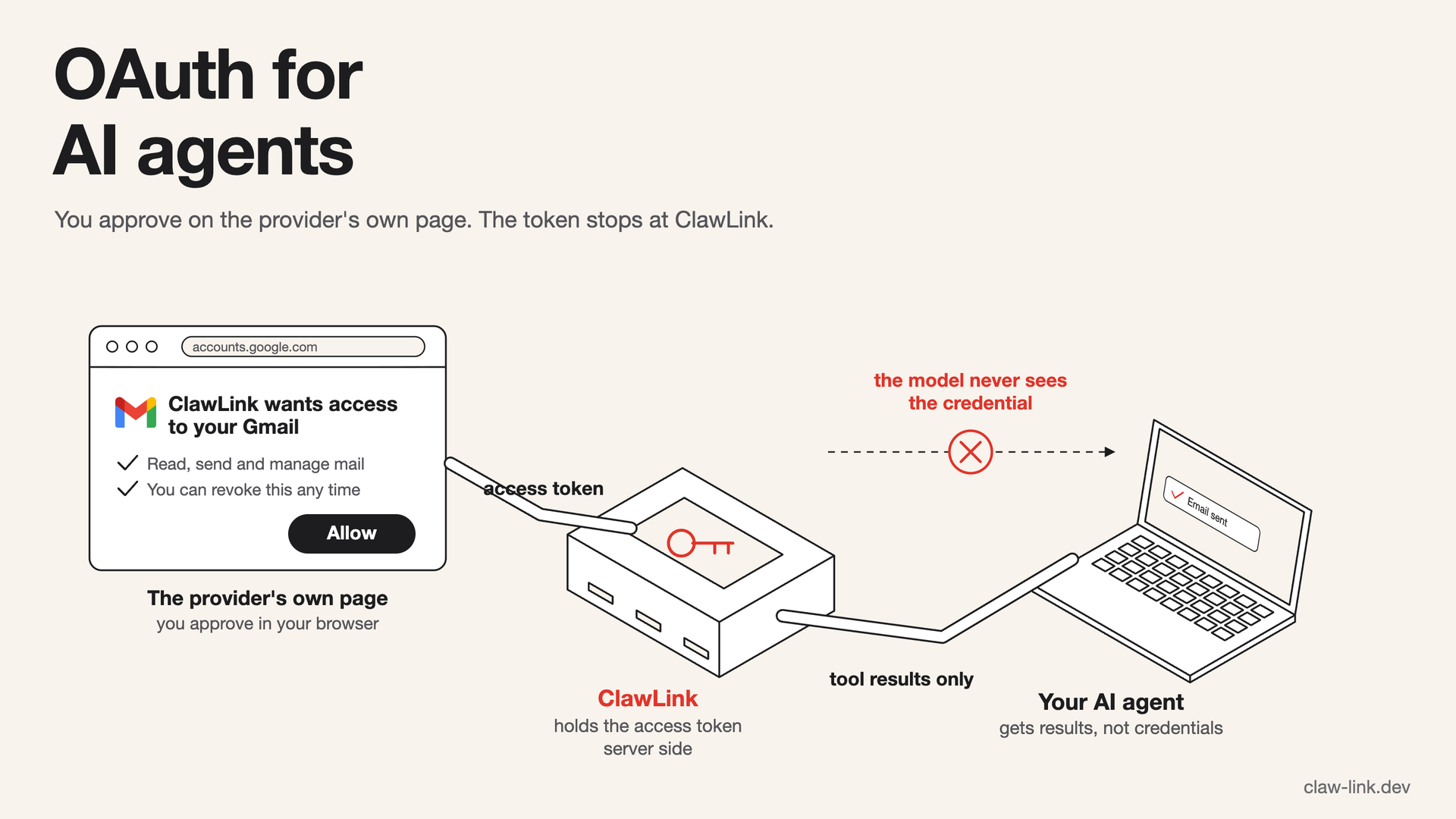
Modern clients add PKCE to that exchange, which stops an intercepted authorization code from being redeemed by someone else. OAuth 2.1 makes PKCE mandatory for the authorization code flow rather than optional, which matters more for agents than for browsers because the redirect often lands on a loopback address or a hosted callback.
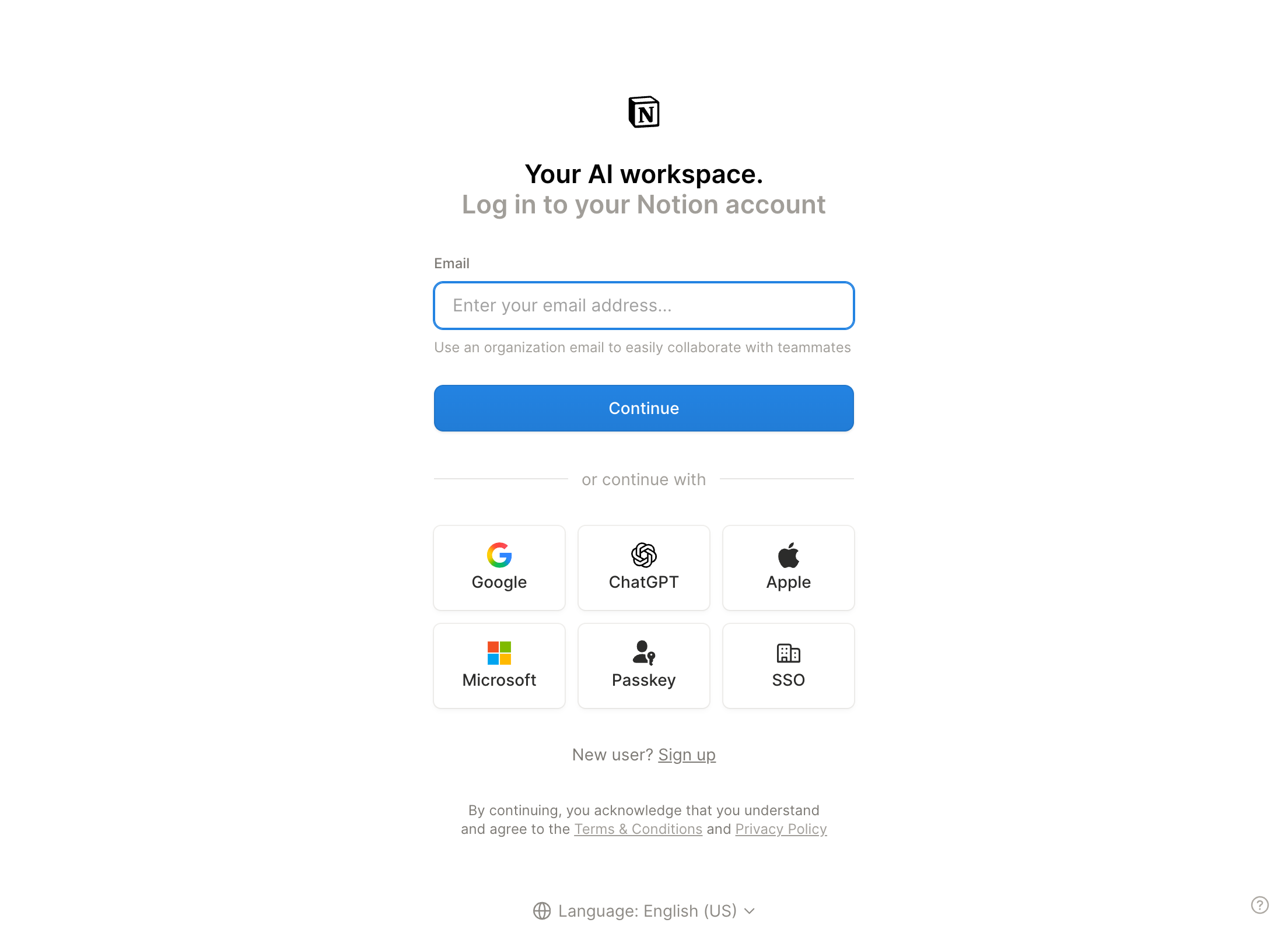 The hosted flow hands the person to the provider's own page. Here Notion asks them to sign in before the consent step, on 16 September 2026.
Which OAuth flow fits an agent?
Three flows cover almost every agent case. Picking the wrong one is the difference between a scoped grant and a machine account with standing access.
| Flow | Use it when | Where the credential lives | Specification |
|---|---|---|---|
| Authorization code with PKCE | An agent acts for a person who can approve a consent screen | The integration, tied to that user's grant | RFC 6749, PKCE RFC 7636 |
| Client credentials | A service calls an API with no human in the loop | The service, as its own identity | RFC 6749 section 4.4 |
| Token exchange | An agent needs a narrower token for one downstream task, or crosses a trust boundary | The agent, holding a task-scoped token | RFC 8693 |
Connecting an app for a person is the first row. The other two are for builders: a platform that runs agents on its own behalf uses client credentials, and a gateway that calls several services uses token exchange so each hop carries only the access it needs.
For agents specifically, an IETF draft extends OAuth with an On-Behalf-Of User Authorization flow so the agent's identity and the user's consent travel together. It is a draft, not a standard, checked on 16 September 2026.
What are the three pieces you get back?
A completed authorization code flow hands the integration three things, and knowing which is which explains most auth failures.
| Piece | What it does | Lifetime |
|---|---|---|
| Access token | Sent on every API call | Short, often about an hour, provider-specific |
| Refresh token | Mints new access tokens | Long, until revoked or idle too long |
| Scopes | Define what the token may do | Fixed at consent time |
The access token is the one that expires constantly, which is why anything running longer than an hour needs token refresh in the background.
What are scopes and why do they matter?
Scopes are the permissions on the token. "Read email" and "send email" are separate scopes in Gmail, for example. An agent can only call actions its token's scopes allow. Anything else fails at the provider, whatever the agent tries. This is also why a tool occasionally fails on a healthy connection: the account or plan does not include that permission.
A scope can also cover an entire service. ClawLink's Gmail connection requests https://mail.google.com/, which covers the full mailbox so its tools can search, read, draft, send, forward, and manage labels. Read the actual consent screen rather than assuming a connection is narrow.
Scopes are fixed when you approve. Adding a capability later means a new consent flow, not a code change. A token issued for read access cannot be talked into writing.
OAuth token vs API key: which should an agent use?
| OAuth token | API key | |
|---|---|---|
| Represents | one user's grant to one integration | the account or project itself |
| Scope | limited to approved scopes | usually the full API |
| Lifetime | expires and refreshes | often never expires |
| Revocation | per user, from the provider's settings | per key, and it breaks every caller |
| Attribution | the call is tied to the consenting user | the call is tied to whoever holds the key |
| Audit | provider sees a named app and user | provider sees a key |
Use OAuth when a person is granting access to their own account, which is the case for every app a user connects to an agent. Use an API key when the credential is the developer's own and there is no per-user grant to carry, such as a public data API. The failure mode of an API key is that it never expires and represents the whole account.
How do you tell one agent apart from another?
A bearer token proves only that the caller holds the token, not which agent is calling. Two mechanisms close that gap.
- Sender-constrained tokens. DPoP (RFC 9449) binds the token to a key the client proves it holds, so a stolen token is useless on its own. mTLS (RFC 8705) does the same with a client certificate.
- Delegation metadata. The On-Behalf-Of draft above carries the agent's identity and the user's consent through the chain, so a downstream service can tell which agent acted for which user.
The practical position for an app connection is narrower: constrain the scopes, prefer per-user grants over shared keys, and keep a way to revoke one user without breaking the rest.
What does the auth error you got mean?
Auth failures fall into a few buckets, and they need opposite responses.
401 Unauthorizedmeans the token is bad. Usually it expired and refresh will fix it. If refresh also fails, the connection needs re-authorizing.403 Forbiddenmeans the token is valid but not allowed. Either the scope is missing, or the account cannot reach that resource. Refreshing changes nothing. Check for a placeholder id before assuming a scope gap, because a403also comes from a malformed request.invalid_granton refresh means the refresh token itself is dead. The user revoked access, changed a password, or an admin removed the app. Only a new consent flow recovers it.
The practical rule: retry a 401 once after refreshing, and never retry a 403.
Who holds the token?
If you wire an integration yourself, the token usually ends up in a local config file. That works, and you own its storage, refresh logic, and revocation story. A hosted app connector holds tokens server side, encrypted, so the agent's machine never stores app credentials.
For most OAuth apps, the hosted flow runs on Composio, which holds the provider's access and refresh tokens as our subprocessor, while ClawLink stores only an opaque reference to the connected account. For the few apps connected through a vendor's own MCP server, ClawLink runs the flow and holds those vendor tokens itself, encrypted. The credentials ClawLink stores directly are those vendor tokens and the API keys a user enters, encrypted with AES-256-GCM. Disconnecting an app removes the connection from ClawLink. The split is documented in the trust center and on the security page.
What changed in this review
This page was expanded on 16 September 2026 for readers building agent integrations. It added the flow-fit table, the OAuth token versus API key table, the sender-constrained-token and delegation section, PKCE and OAuth 2.1 notes, and the six-entry FAQ, and corrected the credential-storage wording to the trust center's most-and-few split.
FAQ
Is OAuth the same as logging in?
No. OAuth is authorization, not authentication. It grants a client limited access to a resource on the user's behalf. It does not, by itself, prove who the user is. That is what OpenID Connect adds on top when an app needs an identity.
Why do agents need PKCE?
PKCE (RFC 7636) stops an intercepted authorization code from being redeemed by someone else, by tying the code exchange to a secret the client generated. Agents need it more than browsers because the redirect often lands on a loopback address or a hosted callback, which is easier to intercept. OAuth 2.1 makes PKCE mandatory for the authorization code flow.
What is a refresh token for?
An access token often expires in about an hour, depending on the provider. A refresh token lets the integration get a new access token without asking the user to approve again. When the refresh token dies, through revocation or a password change, the user must reconnect.
Is OAuth risky for agents?
A plain bearer token can be replayed by anyone who steals it, and a broad consent screen grants more than the task needs. The mitigations are narrow scopes, per-user grants instead of shared keys, sender-constrained tokens via DPoP or mTLS, and a working revocation path.
Should an agent use an API key or OAuth?
OAuth, when a person is granting access to their own account, because the grant is scoped, attributable, and revocable. An API key fits when the credential is the developer's own and there is no per-user grant to carry. An API key usually represents the whole account and never expires, which is why it is a poor fit for connecting a user's apps.
How does ClawLink store the tokens it holds?
For most OAuth apps, a hosted flow run by Composio holds the provider's access and refresh tokens, and ClawLink stores an opaque reference to the connected account rather than those tokens. For the few apps connected through a vendor's own MCP server, ClawLink holds those tokens itself, encrypted. The credentials ClawLink stores directly are those tokens and the API keys a user enters, encrypted with AES-256-GCM. Disconnecting an app from the dashboard removes the connection from ClawLink.